
 0:42
filedial
every tool for every file, one tap away
hold. aim. release.
click a file to open the dial, then click a category and a tool. or do it the mac way: press, hold and slide, or hold ⌥ on your keyboard. same dial, same tools, same names as the app.
- 1click a file
- 2the dial opens. or hold ⌥
- 3pick a category, then a tool
- 4click or let go to run
this runs in your browser on example files. the app does the same to your real files, on your mac.
you already have tools for this. they're slow.
preview, shortcuts, handbrake and a dozen websites can each do a piece. here's what the same job takes.
the video and photo times for filedial are measured on a macbook. everything else is a typical route, timed roughly.
see the difference, not a promise
each pair is a real file before and after one filedial tool. sizes are the actual files; the ticks are what filedial checked on the result.
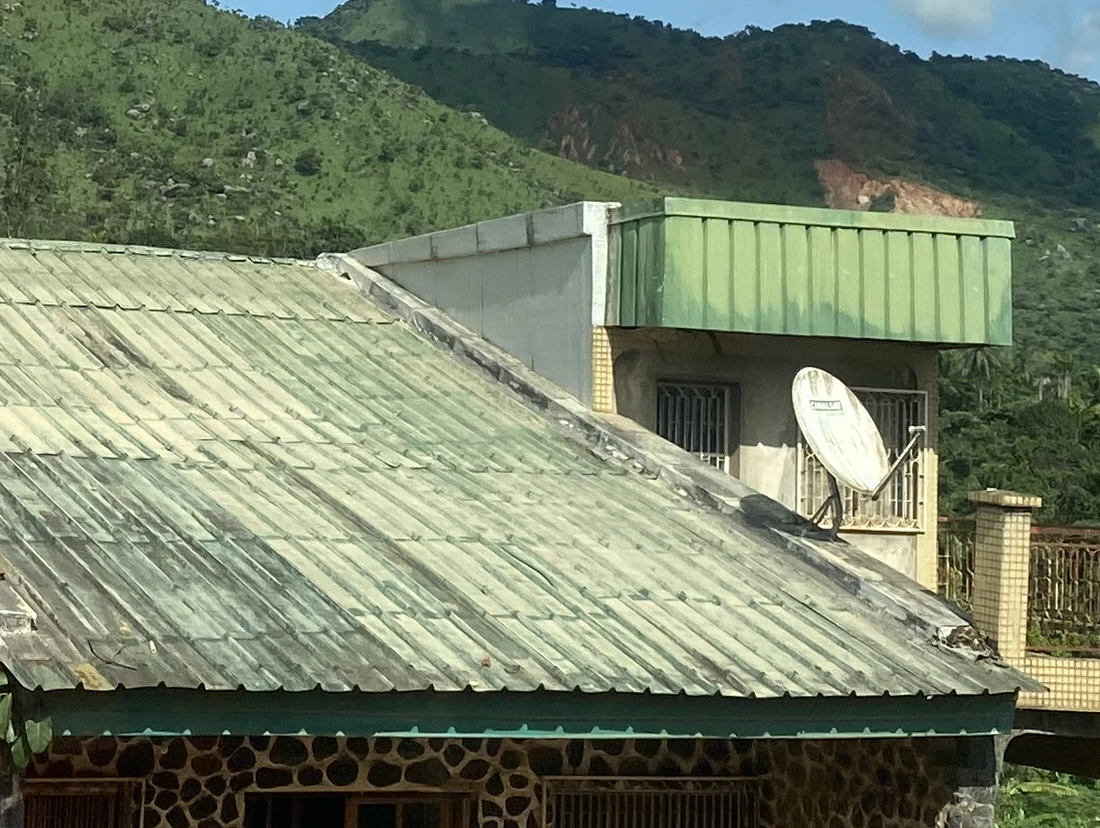
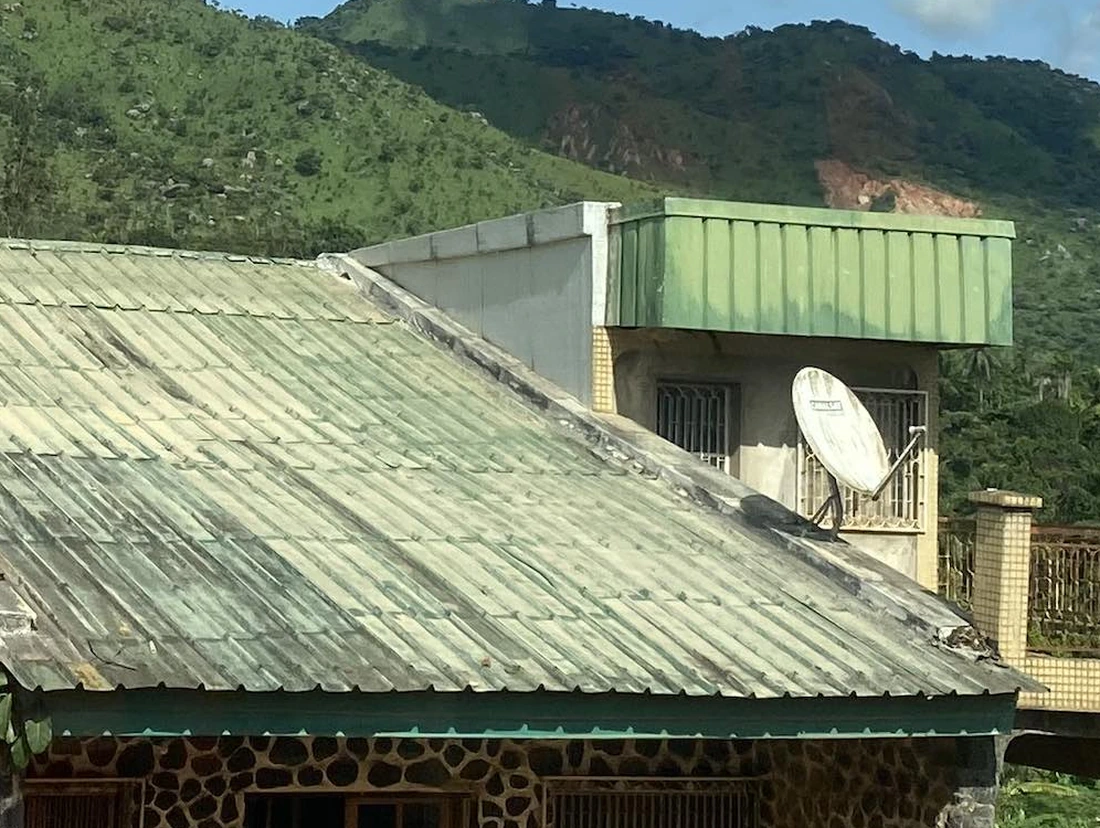
every tool is also a command
install filedial from settings › this mac. search, estimate and run any of the 525 tools from terminal or a script, with the same checks and the same receipts. add --json for machine output.
$ filedial search redact
edit.redact            Redact by hand…
pdf.protect.redact     Redact text…
pdfx.redactions.check  Check redactions
$ filedial estimate video.compress.720p talk.mov
About 117 MB, from 366 MB
$ filedial run pdf.protect.redact 'text=$47.00' invoice.pdf
✓ invoice redacted.pdf
  ✓ Text stays selectable and searchable
  ✓ “$47.00” is gone: 0 matches in the copy's text
search every tool. find yours.
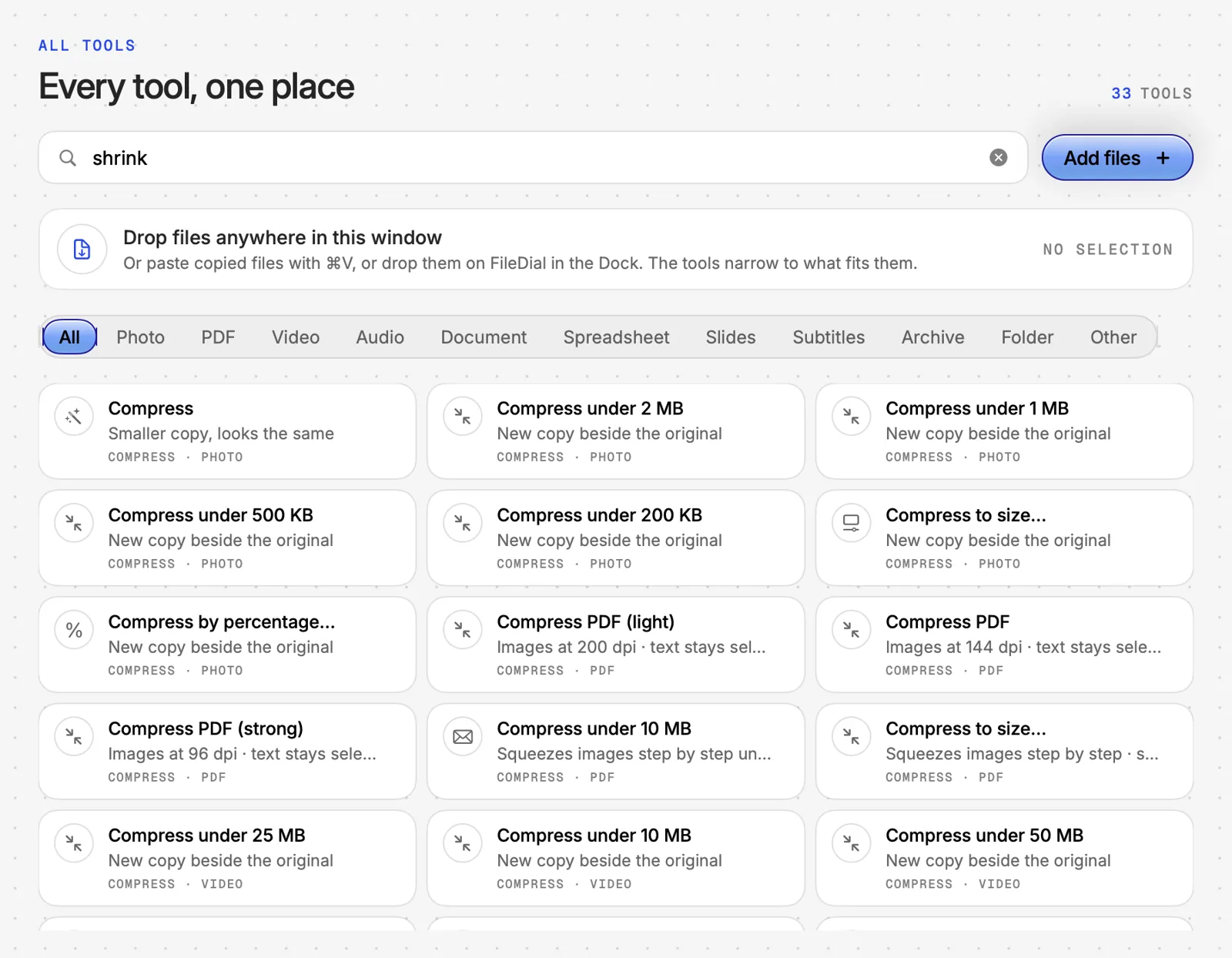
this is the real list from the app. type what you need to do.
the work you'd open three apps for
signing, redacting, scanning, tuning quality, chaining steps. all in the same hold.
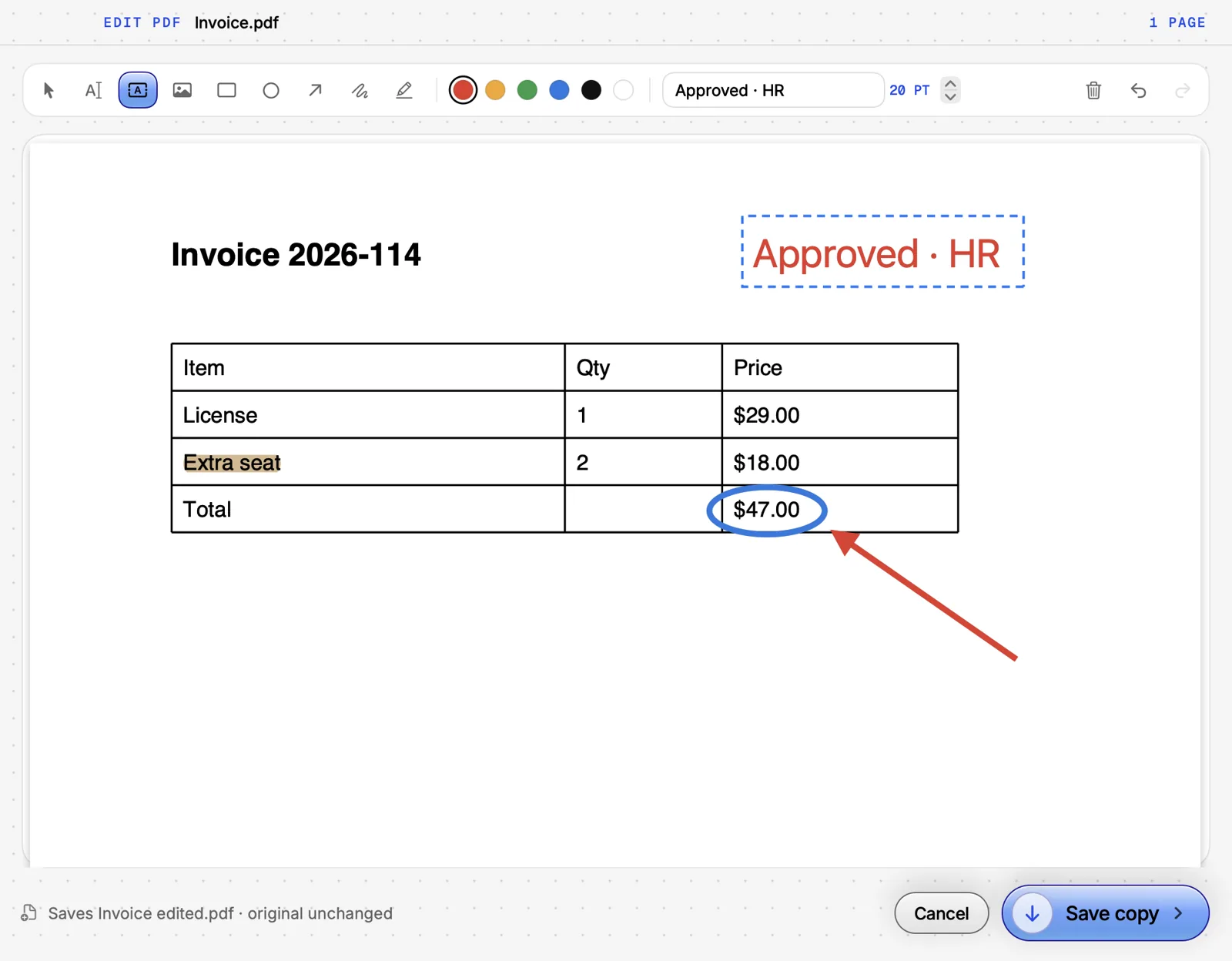
pdfs, all the way
148 pdf tools. mark up, sign, stamp and redact, then lock it, without acrobat.
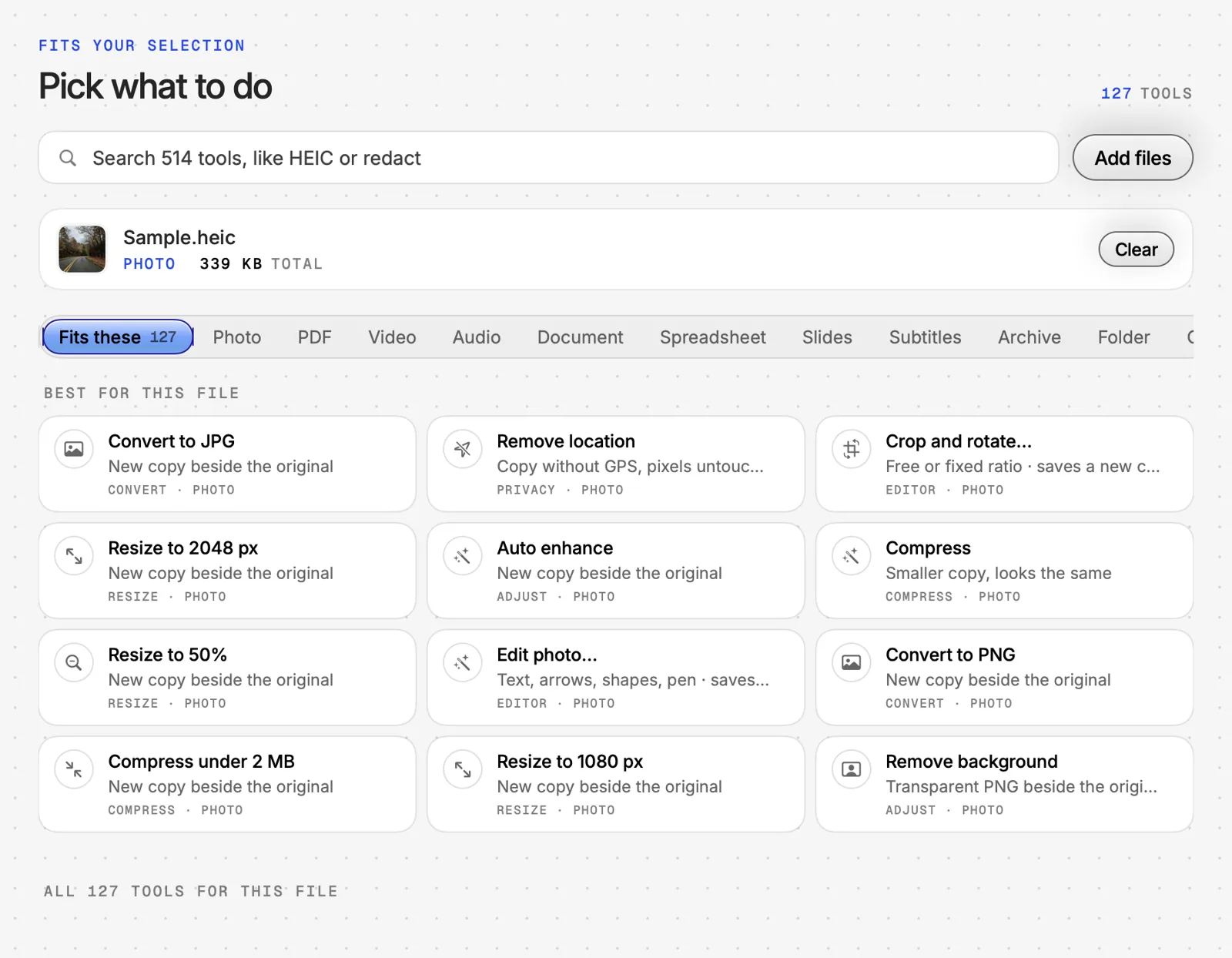
it reads the file first
select a file and filedial shows what fits it: 127 tools for a photo, the best ones on top.
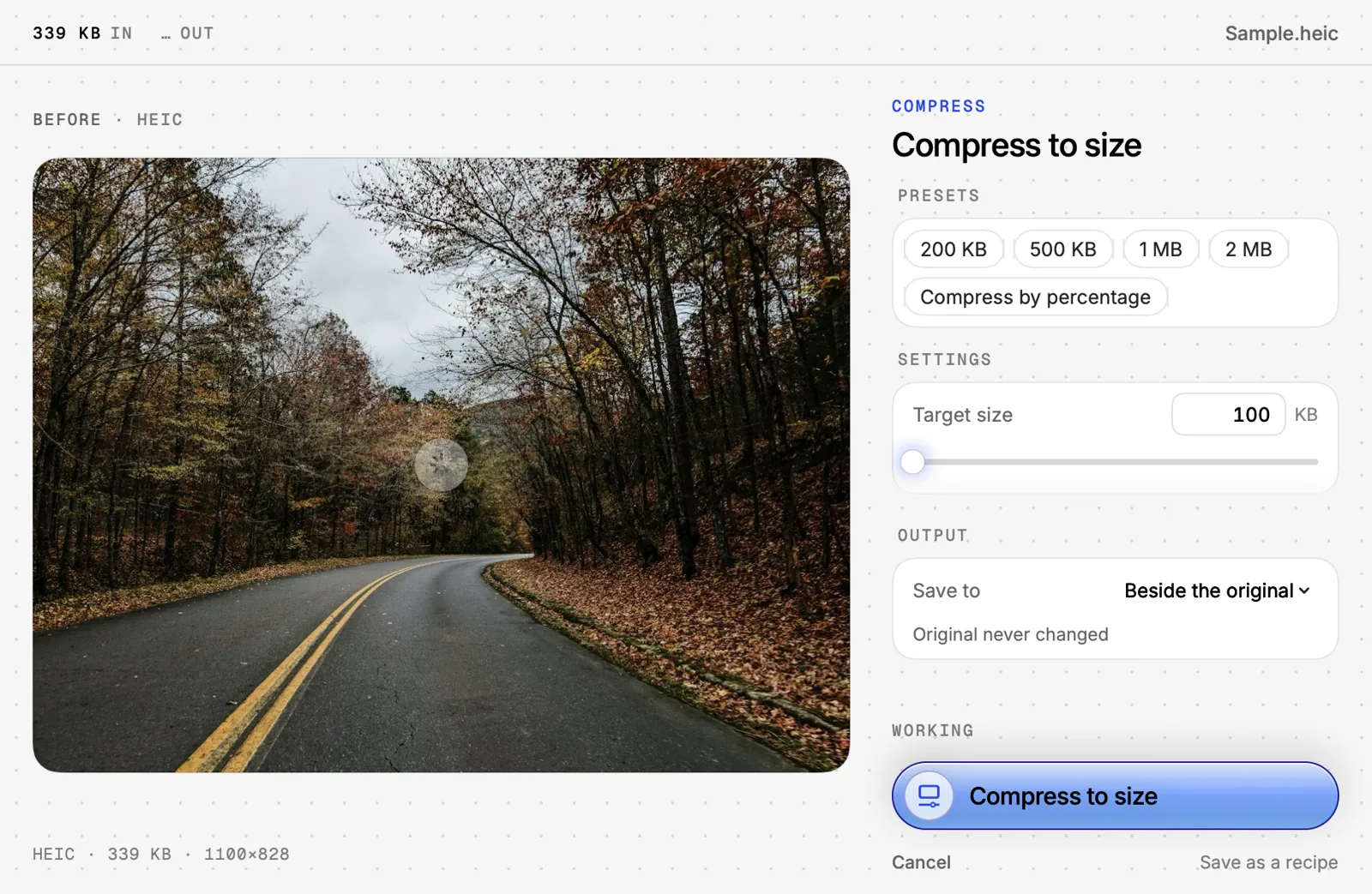
quality you control
presets when you're busy, exact numbers when you care: a target size, a width, a format.
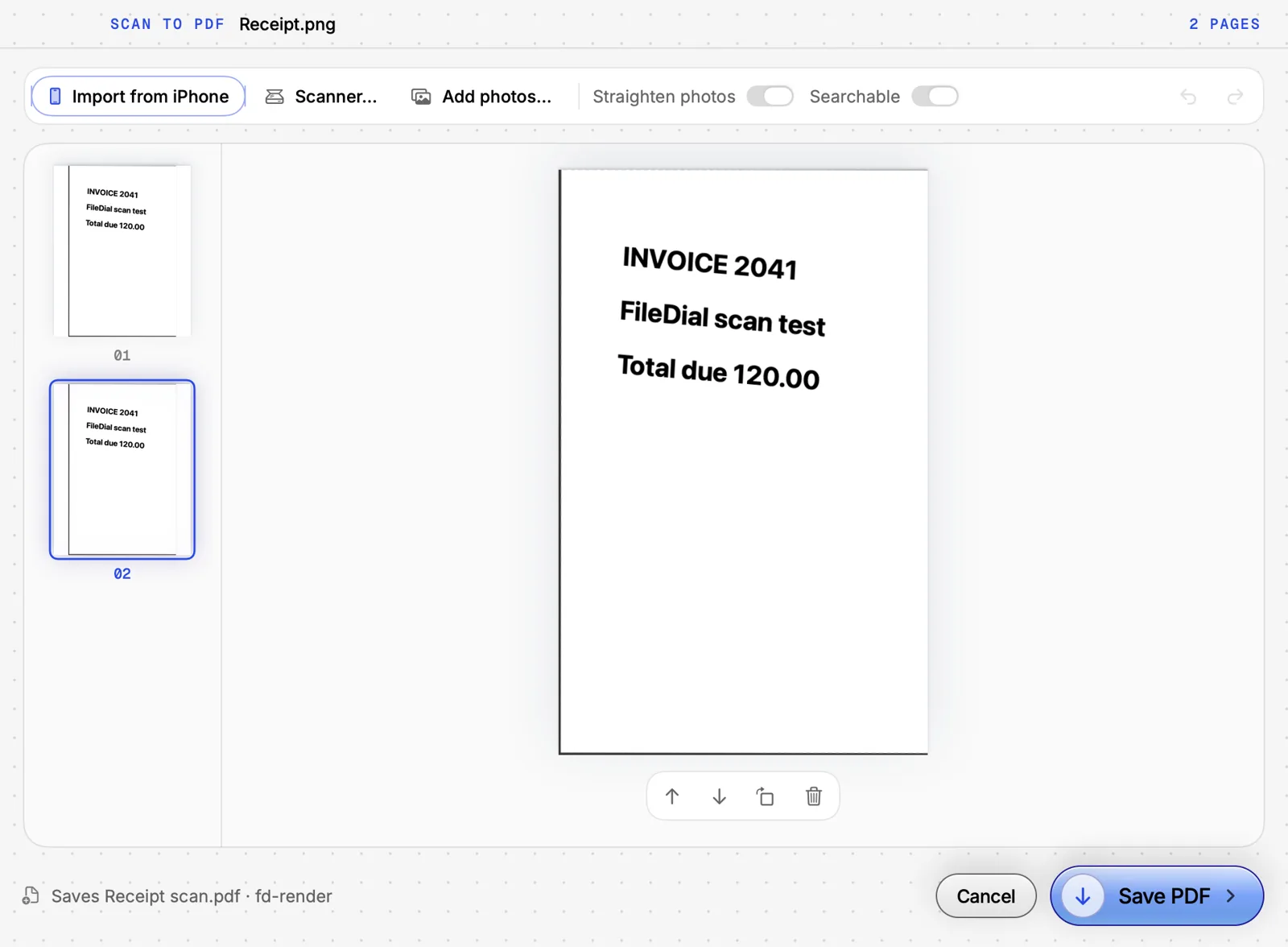
paper to searchable pdf
scan with your iphone camera, straighten, reorder, and save a pdf you can search.
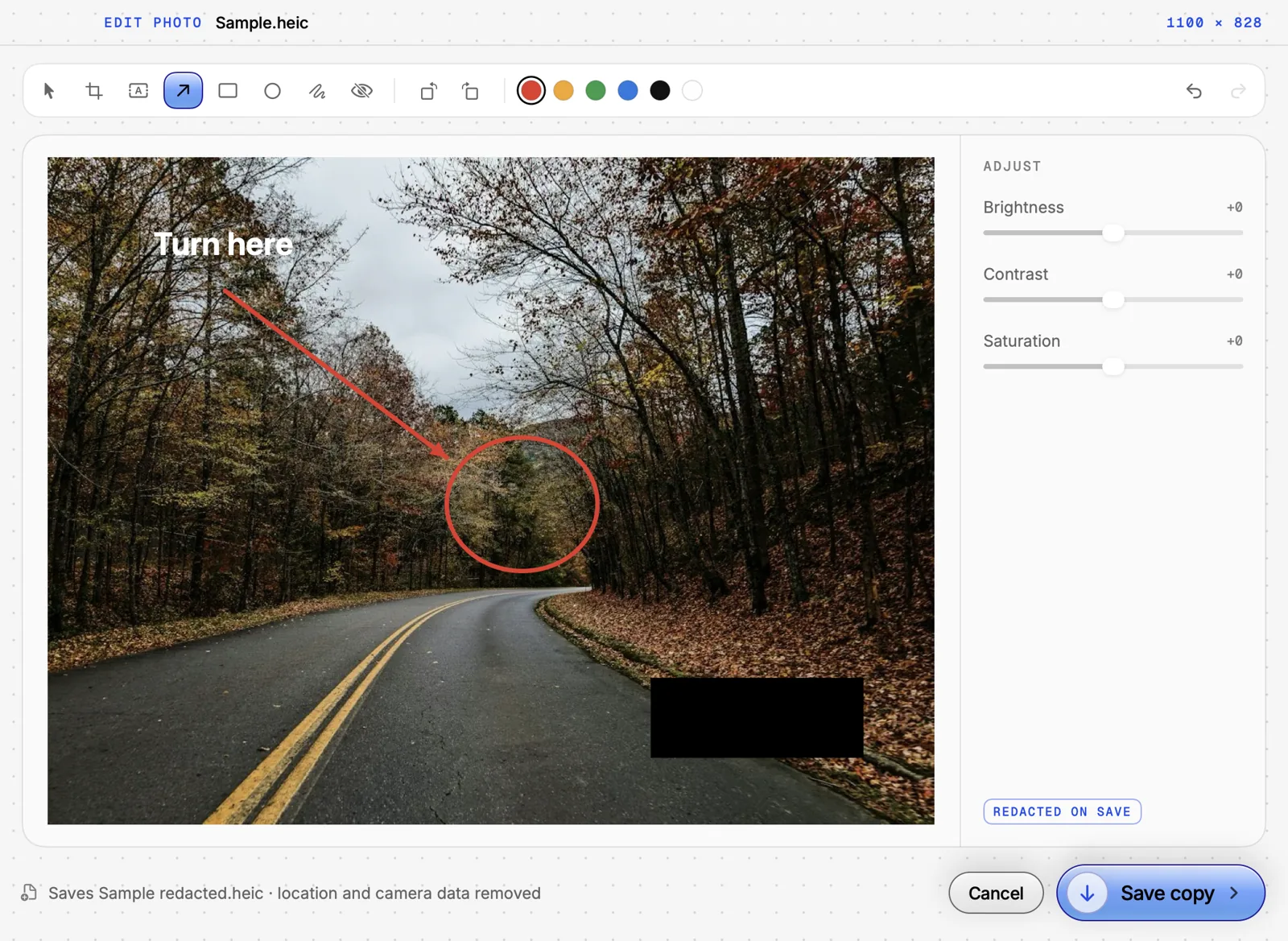
photos, cleaned
crop, mark up, black out a plate, drop the background or the gps.
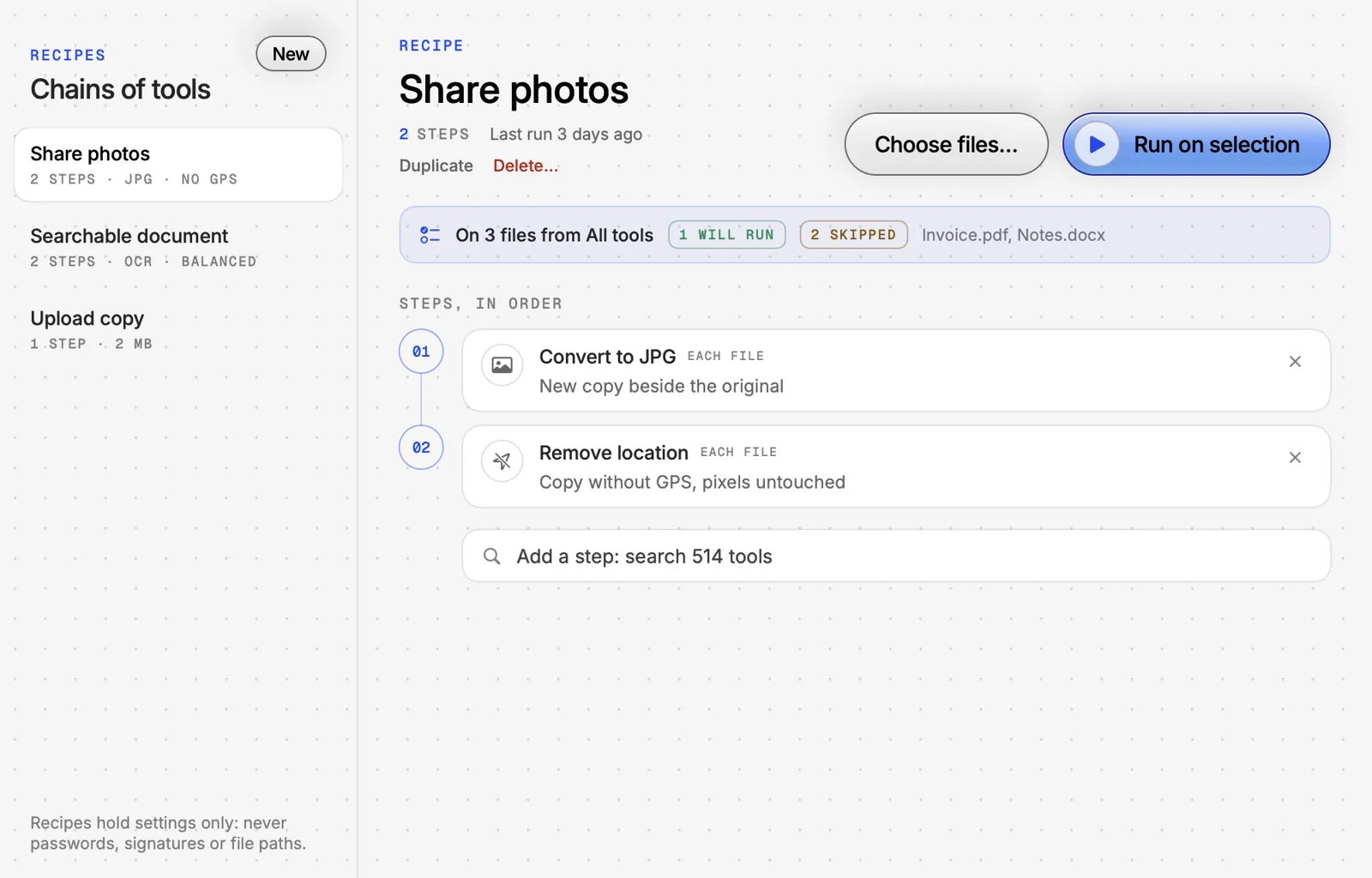
chain it once, reuse forever
save steps as a recipe and run it on a selection, or point it at a folder and it runs on anything dropped in.
hold, aim, release
select any file in finder and hold right ⌥. the dial opens at your pointer; let go on a tool and it runs. dragging files already? press ⇧ mid-drag and drop them on a tool. rather not hold a key? right-click › open in filedial, press ⌃⌥o, or pick any trigger key in settings.
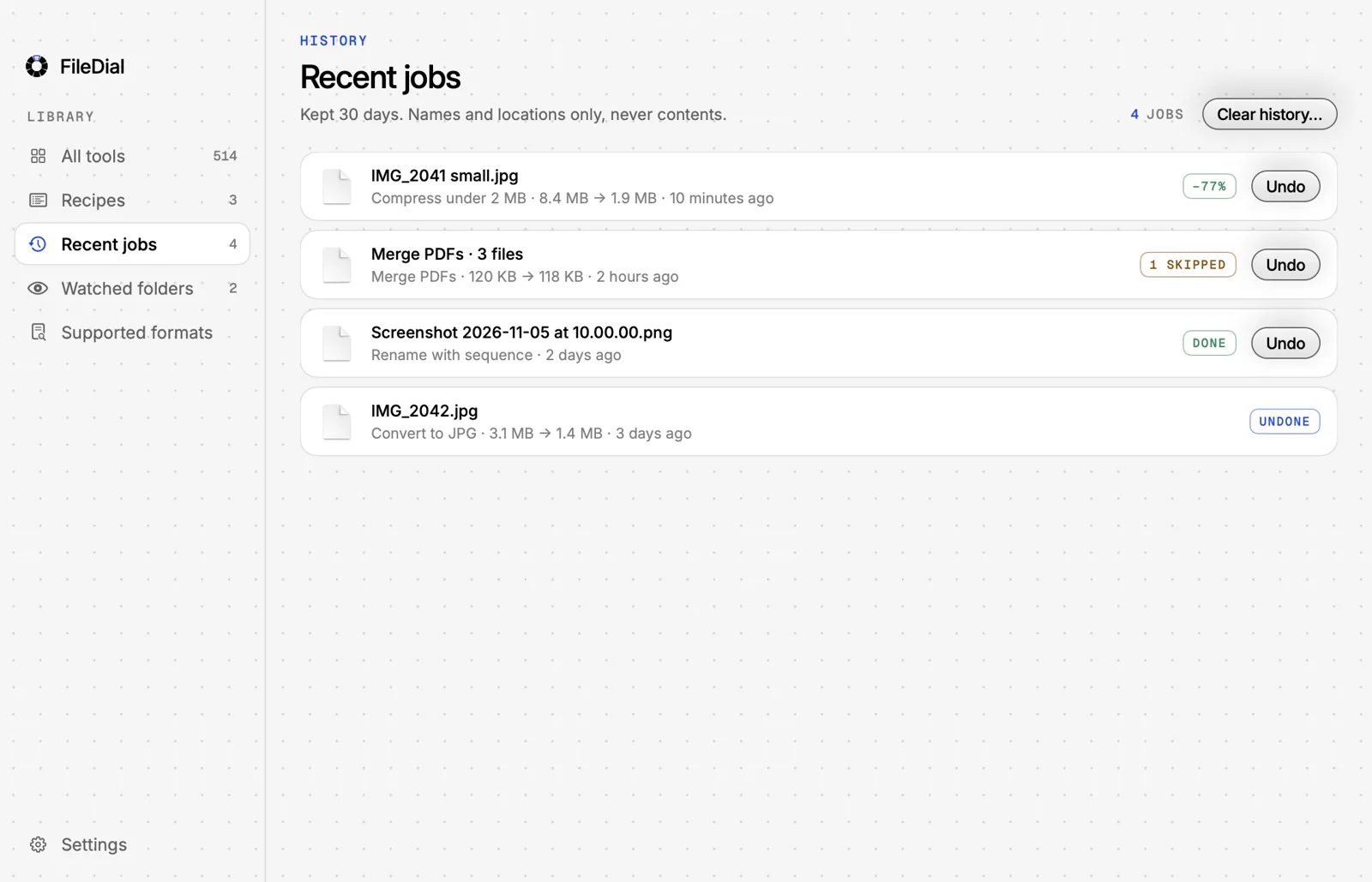
every result has a receipt and an undo
a card shows what changed, how much smaller it got, and what filedial checked: text still selectable, links kept, location removed, redacted words really gone. reveal it, share it, or take it back.
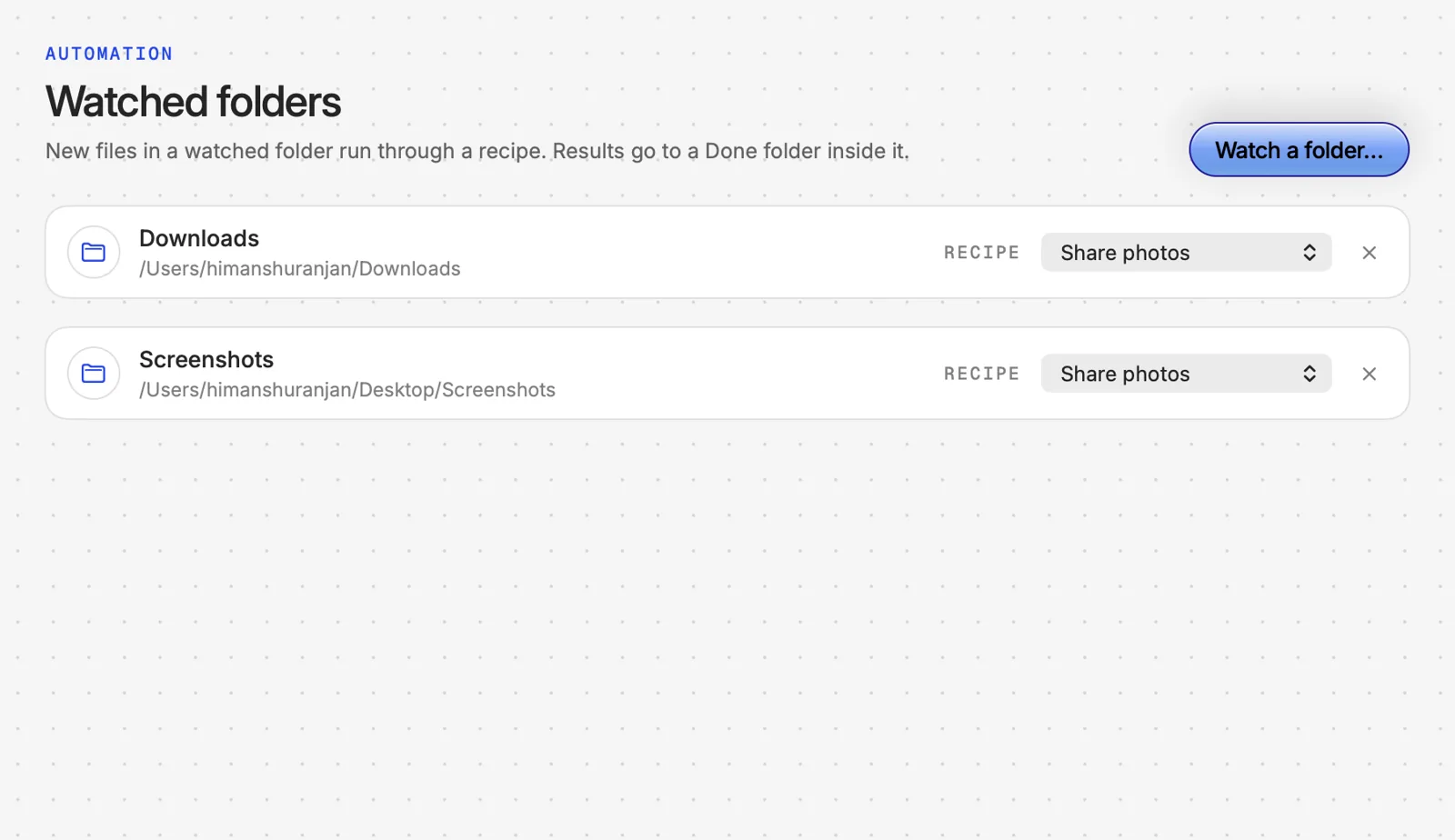
recipes and watched folders
chain tools into a recipe and point it at a folder. anything dropped in gets compressed, renamed and sorted while you work.
every mac comes with a hundred little file chores: shrink this, convert that, strip the location, redact a page.
we think that should never mean opening another app or uploading your files to a website.
so filedial lives in finder. select, hold, release. it's done before you'd have found the right app.
you're letting it near your files. here's why that's fine.
signed and notarized by apple
macos checks filedial before it opens. developer id: himanshu ranjan (Q77FW4H43T). check it yourself in terminal:
spctl -a -vv /Applications/FileDial.appyour files never leave your mac
every one of the 525 tools runs on your mac. turn wi-fi off and they all still work. no file, name or path is ever sent anywhere.
what goes online, exactly
- licence check, at activation and weekly: your key, a hashed id for this mac, its name, the app version
- anonymous counts of which tools ran and whether they worked. off switch in settings
- never: files, file names, paths or contents
try it, then decide
a full day of every tool, no card, no account. if you buy and it isn't for you, reply to your receipt within 14 days for a full refund.

filedial is made by himanshu ranjan, an independent developer: the same name macos shows you when it checks the app. found a bug, or a tool that's missing? reply to any filedial email and it reaches me.— himanshu
one price, once
$20 once, after your trial. lifetime, no subscription start the free trial buy inside the app whenever you're ready. 14-day refund. apple silicon, macos 14+.
- all 525 tools
- recipes and watched folders
- works offline, nothing uploaded
- two macs on one key